CLO vs Marvelous Designer: 3D Fashion Design Software Compared
A clear comparison of CLO and Marvelous Designer for readers deciding which 3D garment tool fits their work, from apparel product development to digital-only garment creation.
What CLO and Marvelous Designer share
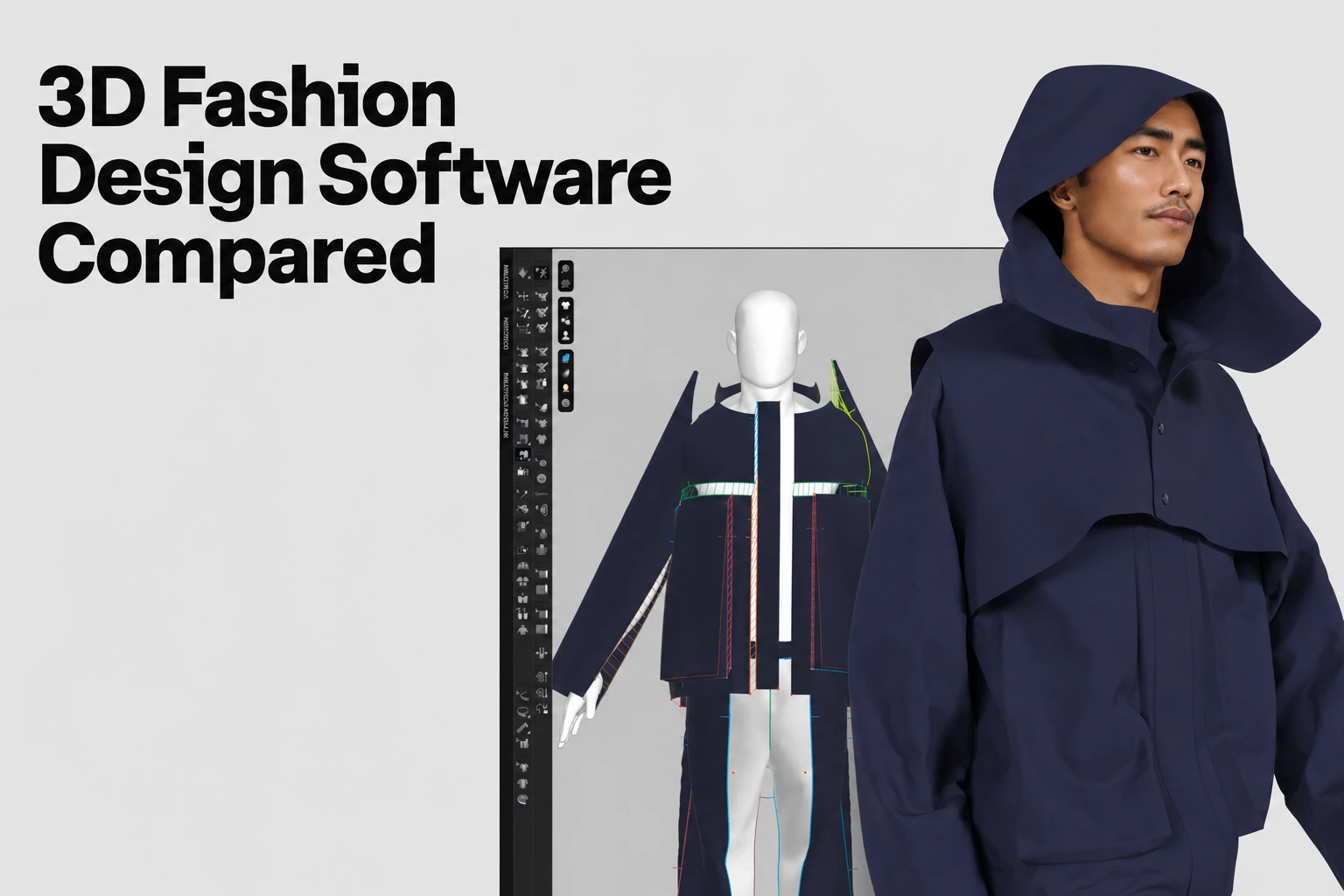
CLO and Marvelous Designer are sibling products from CLO Virtual Fashion. CLO is built for fashion and apparel product development; Marvelous Designer is built for digital garments in games, animation, VFX and CG. Which one fits depends on whether the garment is headed for production or staying on a screen.
Quick answer
Choose CLO if you need to turn a design into a produced, sellable garment: it carries pattern-to-production tools such as POM calculation, grading and BOM export alongside 3D simulation. Choose Marvelous Designer if the garment stays digital, for a game character, an animated short or a VFX shot, since its tools are built around draping, rigging and export into game and animation pipelines.
CLO and Marvelous Designer feature by feature
| CLO | Marvelous Designer | |
|---|---|---|
| Built for | Fashion and apparel product development | Digital garments for games, animation, VFX and CG |
| Pattern tools | Pattern Drafter, POM and grading workflows; production-data tools | Pattern Drafter and garment-construction tools; verify the required manufacturing output |
| 3D simulation | CLO 2026.1 GPU trim/soft-body support and strain review; separate zFab hardware | Simulation presets; 2025.2 GPU soft body and 2026.0 GPU trim |
| Avatar and rigging | The same avatar and rigging features as Marvelous Designer, plus measurement-based parametric avatars | Rigged external avatar data, Everywear outfit rigging |
| File interoperability | The formats listed for Marvelous Designer, plus DXF production exchange (CLO format reference) | FBX, OBJ, Alembic and USD import/export; USDZ export; check selected data and destination |
| Platforms | Windows and macOS | Windows, macOS and Linux |
| Trial | 14-day trial conditions | Personal monthly subscription trial and billing conditions |
| Monthly | Individual $50 before tax/VAT | Personal $39 |
| Annual | Individual $450 before tax/VAT | Personal $280 prepaid year |
Pattern-to-production tooling in CLO
CLO supports 2D pattern creation and editing alongside 3D garment simulation. Tools introduced or extended in CLO 2026.0 include the following; check the documentation for the version you use:
| Tool | What it does |
|---|---|
| Pattern Drafter | Builds the 2D pattern you then simulate and refine, with measurement-based drafting |
| Auto POM & Grading | Supported Pattern Drafter measurement values/increments and grading tables; inspect generated sizes |
| POM calculator | Performs calculations using POM values and can add the result to the POM list; use Update after source measurements change (manual) |
| Fabric consumption and cost | BOM editor uses Print Layout consumption and entered costs; update after changes |
| BOM export | XML plus project and reference assets; inspect handoff requirements |
| Tech packs | Separate CLO-SET Excel tech-pack workflow; confirm access and contents |
| PLM integration | CLO–DeSL plug-in documents libraries, metadata and image publishing; confirm configured fields/direction |
| Apparel CAD interoperability | DXF AAMA/ASTM exchange with grade/scale/line settings; verify the imported result |
| CLO-SET collaboration | Separate 3D content collaboration service; confirm access and handoff |
Test CLO’s DXF exchange using representative patterns and the actual receiving CAD. A supported file extension does not guarantee identical grading or metadata in every system.
CLO Strain Map applies fabric-specific or global limits with manual adjustments. CLO 2026.1 adds native GPU simulation on Apple Silicon Macs with trim/soft-body support. Evaluate material inputs and physical validation separately from rendering appearance.
What Marvelous Designer offers for games, animation, VFX and CG
Marvelous Designer is built for creating 3D virtual clothing assets for games, VFX, design and architecture.
Its workflow, grouped as modeling, texture and fabric, rigging, animation and rendering, is built around getting a garment from a simulated drape onto a moving character:
| Area | What it covers |
|---|---|
| Draping | Realistic draping based on simulation |
| Pattern construction | Pattern-based garment construction |
| Auto-Retopology | EveryWear automatic retopology; inspect topology and rigging against the destination pipeline requirements |
| Avatar and rigging | Compatible with rigged external avatar data; outfit rigging through Everywear |
| Animation | Inverse-kinematics posing and simulation-based animation, with support for external pose and motion files |
| Game / animation pipeline | Unreal Engine LiveSync transfers meshes, materials, skeletal animations and geometry caches |
| File interoperability | FBX, OBJ, Alembic, USD (import and export); USDZ export |
| Rendering and export | Viewport preview and built-in screen recording to export results as video; PBR-style rendering |
For handing a garment off into a game engine or animation pipeline, Marvelous Designer supports import and export for FBX, OBJ, Alembic and USD, plus USDZ export, added in version 2025.0, for AR, VR and other interactive 3D content. (Marvelous Designer format reference).
CLO and Marvelous Designer pricing
Both tools list 14-day trials. CLO’s Individual plan is aimed at individual users. Marvelous Designer’s licence guide lists Personal, Enterprise, Student, and Academic options; its pricing page also describes Indie eligibility for verified digital-content companies with at least two employees and previous-year gross revenue of USD 500,000 or less. Check the full terms and trial billing conditions for your account.
Check CLO’s licence categories and Marvelous Designer’s terms. CLO Individual excludes legal entities with two or more employees including the CEO; MD’s Personal, Enterprise and verified Indie conditions differ.
Which one fits your project
If your garment is headed for production, meaning it needs to be cut, sewn and sold, CLO is the fit: its production tools exist specifically to carry a design from a 3D simulation into the measurement and materials data a factory works from.
If the garment stays on a screen, as a game character's outfit, an animated character's costume or a VFX shot's clothing, Marvelous Designer is built for that path, with its draping, rigging and animation tools leading into the export formats game engines and animation pipelines expect.
A team that does both, say a studio producing physical merchandise alongside a digital character, may use CLO for the sellable garment and Marvelous Designer for the on-screen asset.
See CLO's production tools
CLO's pattern, grading and BOM tools are built for garments headed to a factory floor.
FAQS
Frequently asked questions
What's the difference between CLO and Marvelous Designer?
CLO and Marvelous Designer are built for different garment workflows. CLO is oriented to fashion and apparel product development, with pattern-to-production tools like POM calculation, grading and BOM export. Marvelous Designer is oriented to digital garments for games, animation, VFX and CG, with tools built around draping, rigging and pipeline export.
Which one fits a fashion brand or apparel product-development team?
CLO. Its production tools carry a garment from a 3D simulation into the pattern, measurement and materials data a factory needs to produce it.
Which one fits a game, animation, or VFX pipeline?
Marvelous Designer. It is built for digital garments in games, animation and VFX, with draping, avatar rigging and animation tools, export to the file formats those pipelines use, and Unreal Engine LiveSync.
Do CLO and Marvelous Designer share the same technology?
Yes. CLO’s official FAQ says the core technology is shared, while the products emphasize different workflows and production-exchange functions.
Is CLO or Marvelous Designer less expensive?
MD Personal lists $39/month or $280 prepaid year; CLO Individual lists $50/month or $450/year before tax/VAT. Compare eligibility, trial billing, company licences and required features before selecting a plan.
What file formats does Marvelous Designer export for game and animation pipelines?
Marvelous Designer supports import and export for FBX, OBJ, Alembic and USD, and USDZ export as of version 2025.0. For Unreal Engine, LiveSync transfers meshes, materials, skeletal animations and geometry caches directly from Marvelous Designer.
Related reading