

Meet Greta Staude, a 3D Product Developer at Marc Cain, who is transforming fashion with her stunning Ruffle series! Join us as she shares her creative journey, inspiration, and the magic of using CLO to bring her designs to life. Get ready to be inspired!
Please introduce yourself and share a bit about your background.
My name is Greta Staude, I am 27 years old, and I come from Germany. I began my journey in the fashion industry by attending a fashion school, which laid the foundation for my passion. I then pursued a degree in Textile and Clothing Technology, where I was first introduced to CLO. Captivated by its potential, I dedicated every free moment to mastering the software through tutorials and hands-on practice. For the past 2.5 years, I have been working as a 3D Product Developer at Marc Cain, contributing to innovative digital workflows that are transforming the fashion industry.
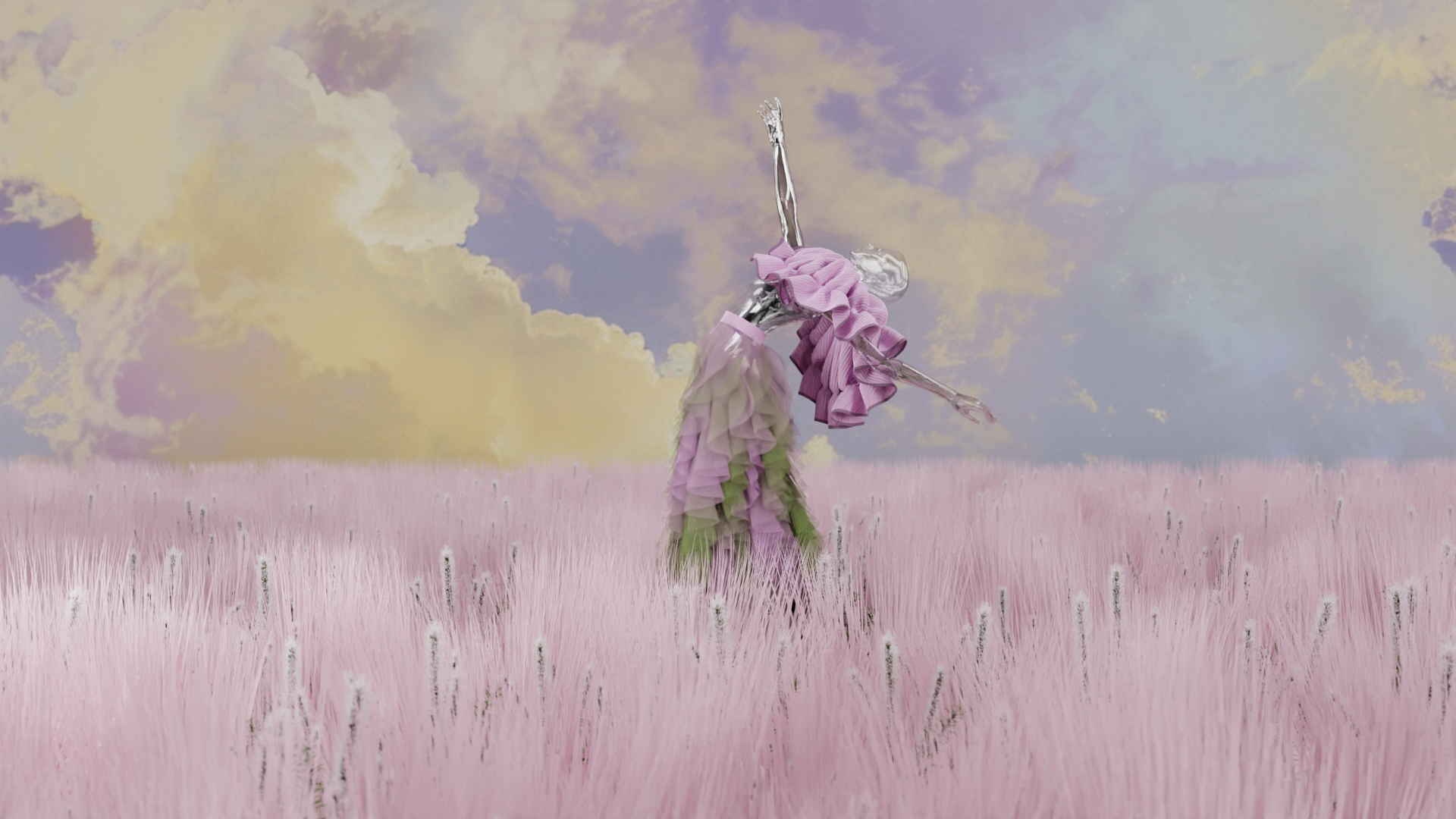
Your recent artworks feature flourish ruffles. Can you share the story or motivation behind their creation?
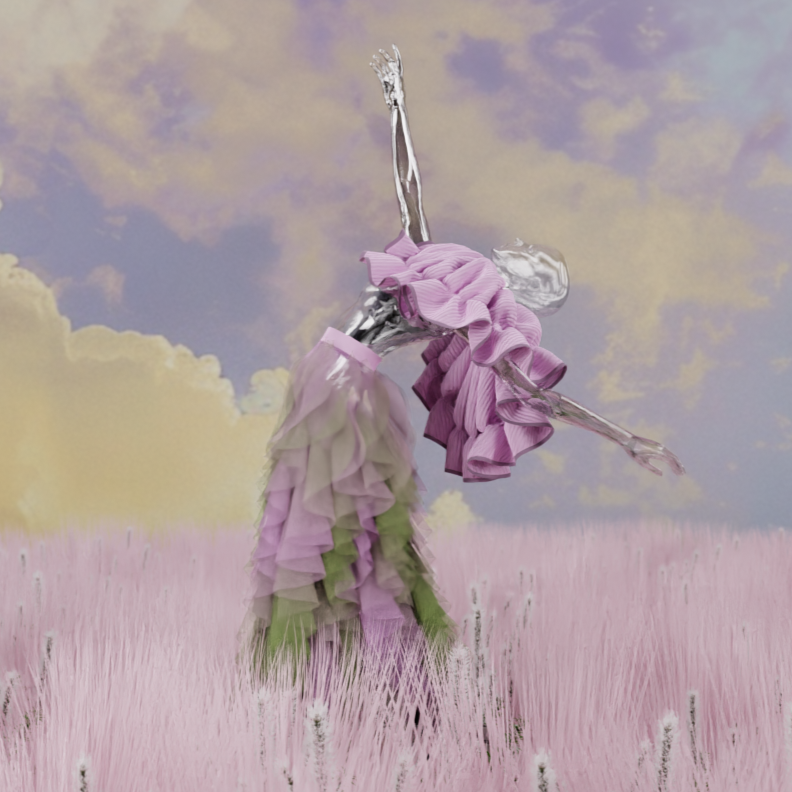
I truly enjoy designing feminine garments adorned with flowing ruffles, as they bring a sense of elegance and movement to my work. My inspiration came from observing various forms in the wind—how they dance, behave, and fall gracefully. This dynamic motion deeply influenced my approach to creating intricate ruffle designs that feel both natural and expressive, allowing the wearer to experience a sense of freedom. I aimed to convey a sense of lightness and freedom through the Ruffle series, believing that the flowing, soft shapes and carefully chosen colors beautifully encapsulate this feeling.
What specific techniques or methods did you use in CLO to create the ruffles in this series? Were there any unique challenges you faced during the design process?
To create the ruffles, I utilized the ellipse pattern function. By carefully adjusting the shrinkage settings for both the weft and warp, I achieved my desired look without needing to make further alterations to the pattern piece. This precision allowed me to focus on the creative aspects of my design.
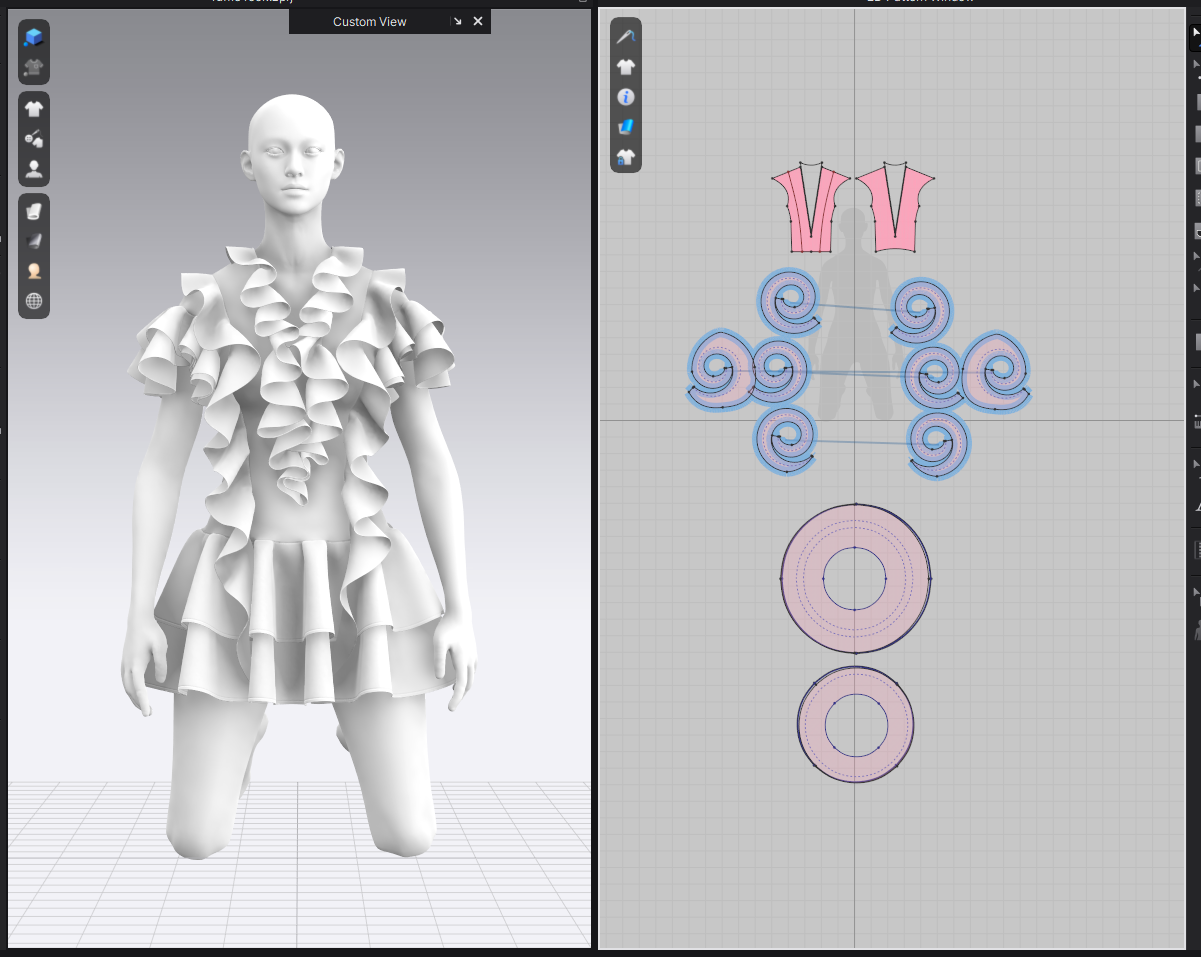
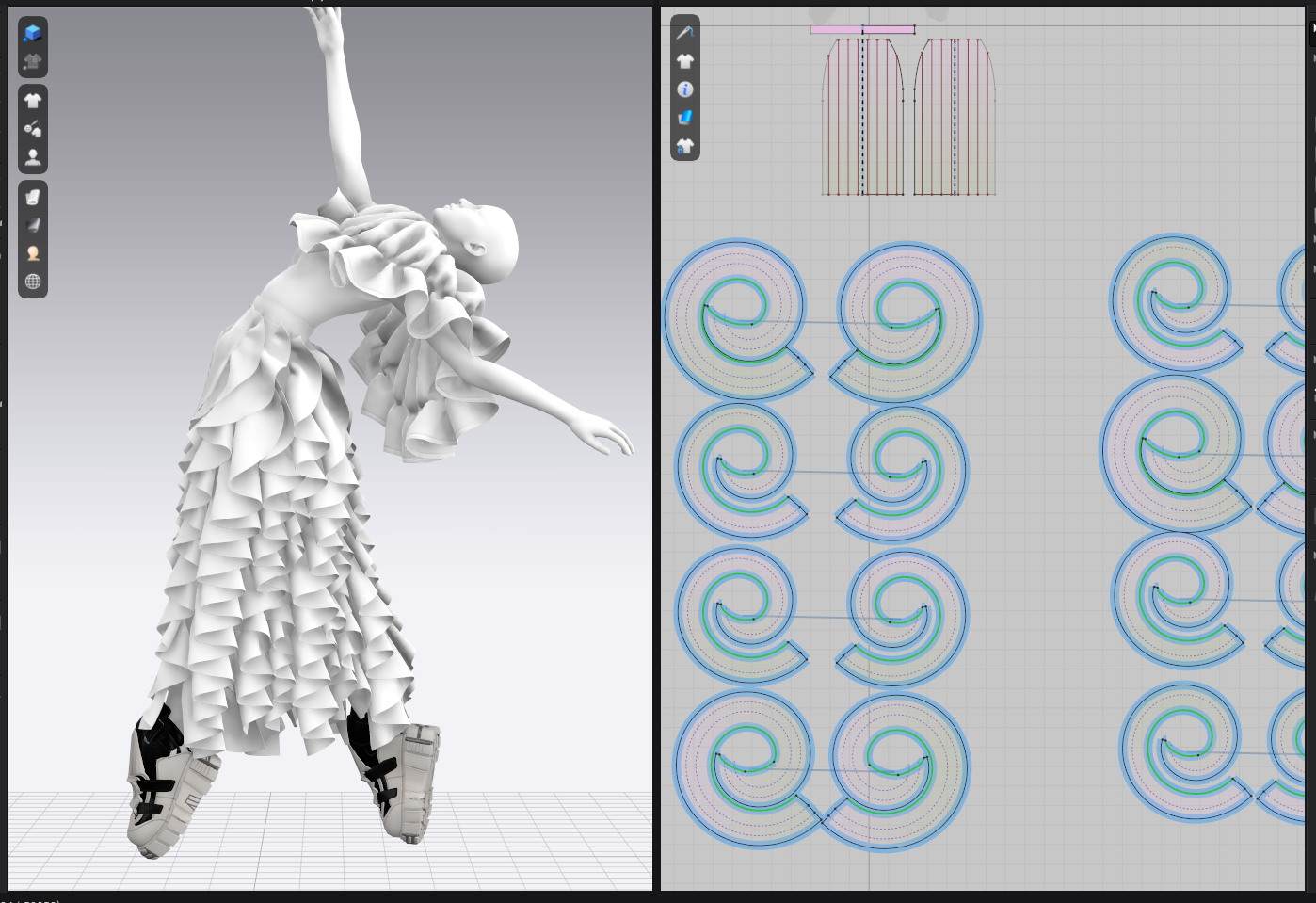
Can you describe your approach to planning and preparing for a new project? We’d love to hear about your usual routine.
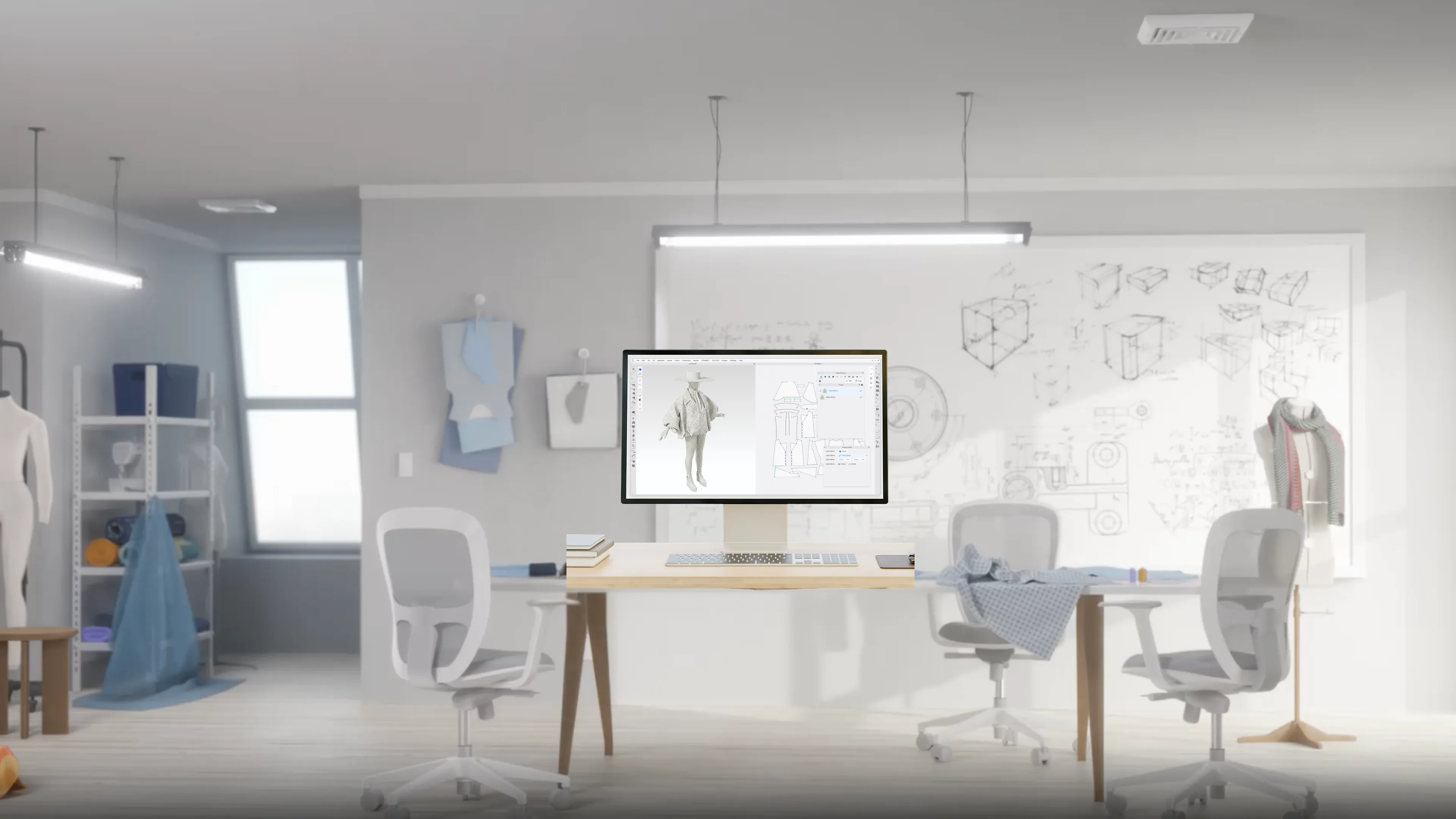
I typically start with a general idea of the vibe I want to convey or the emotions I aim to evoke. Instead of sketching, I dive straight into CLO with simple shapes, working to bring my vision to life directly in 3D. The beauty of working in CLO is the ability to immediately realize ideas, refine details, and see how everything comes together seamlessly, which keeps the creative process fluid and exciting.
As you plan, how do you choose the materials for your Ruffle series? Do you have a particular fabric or texture in mind that enhances the flow and movement of the ruffles?
From the very beginning, I knew I wanted to incorporate transparency into the ruffles to enhance the sense of lightness. The colors were chosen intuitively, guided by the emotions and inspirations I felt in the moment I created the shapes. This approach allows the materials to play a crucial role in the overall aesthetic.
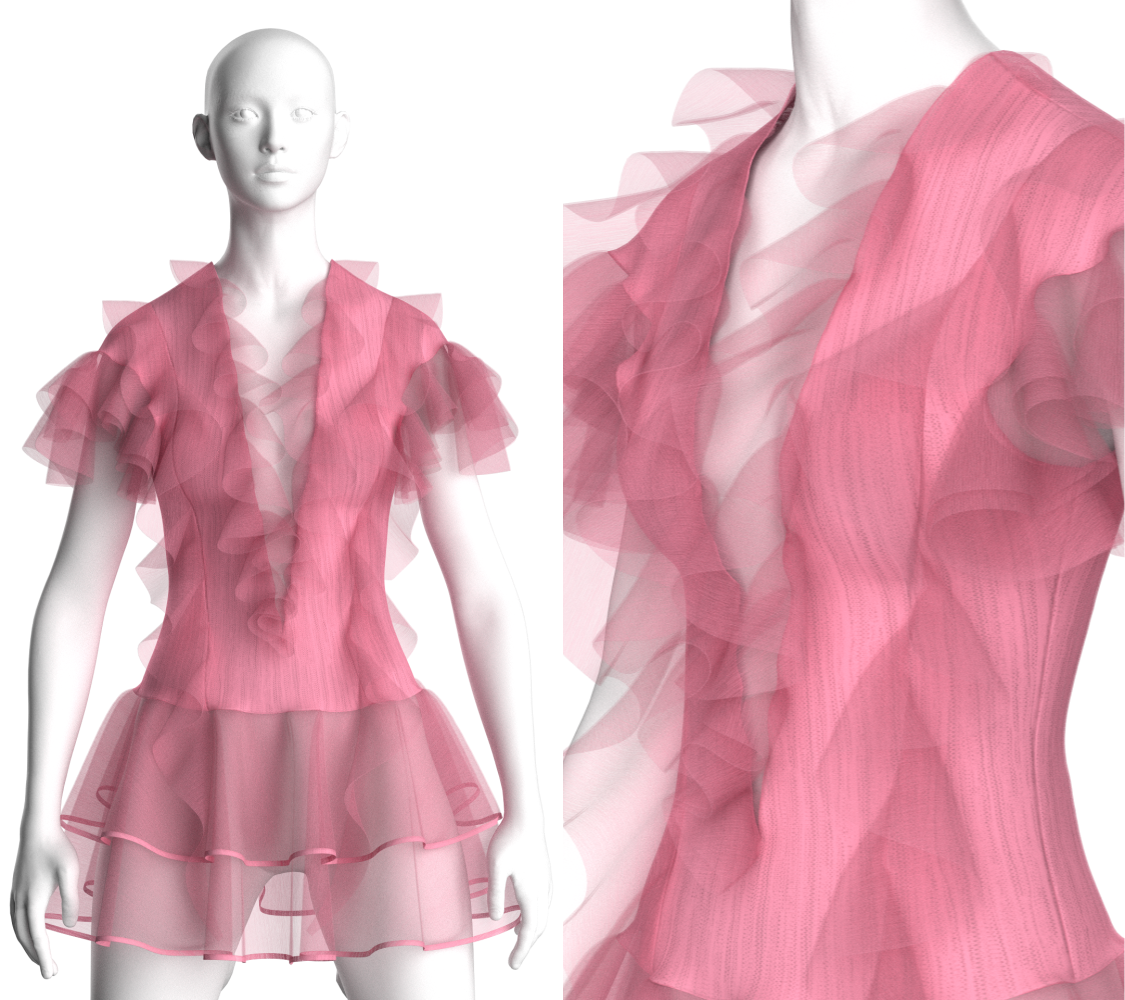
What was your favorite part of creating these artworks using CLO?
My favorite part was witnessing the ruffles come to life through simulation. Seeing how a simple circular pattern transforms into a stunning 3D shape with the right physical properties is truly magical. The moment I hit the simulate button and watch the design evolve from 2D to 3D is always exciting and rewarding, as it feels like my vision is materializing before my eyes.
Which feature in CLO did you find most useful for creating these artworks?
The most helpful feature was the ability to adjust materials and shapes in real-time, allowing me to see the results instantly. This immediate feedback is always fascinating. Additionally, CLO’s texture tools, especially the map generator, are incredibly useful for adding realistic details to my designs. I rely heavily on it for texturing my creations, as it enhances the overall visual impact.
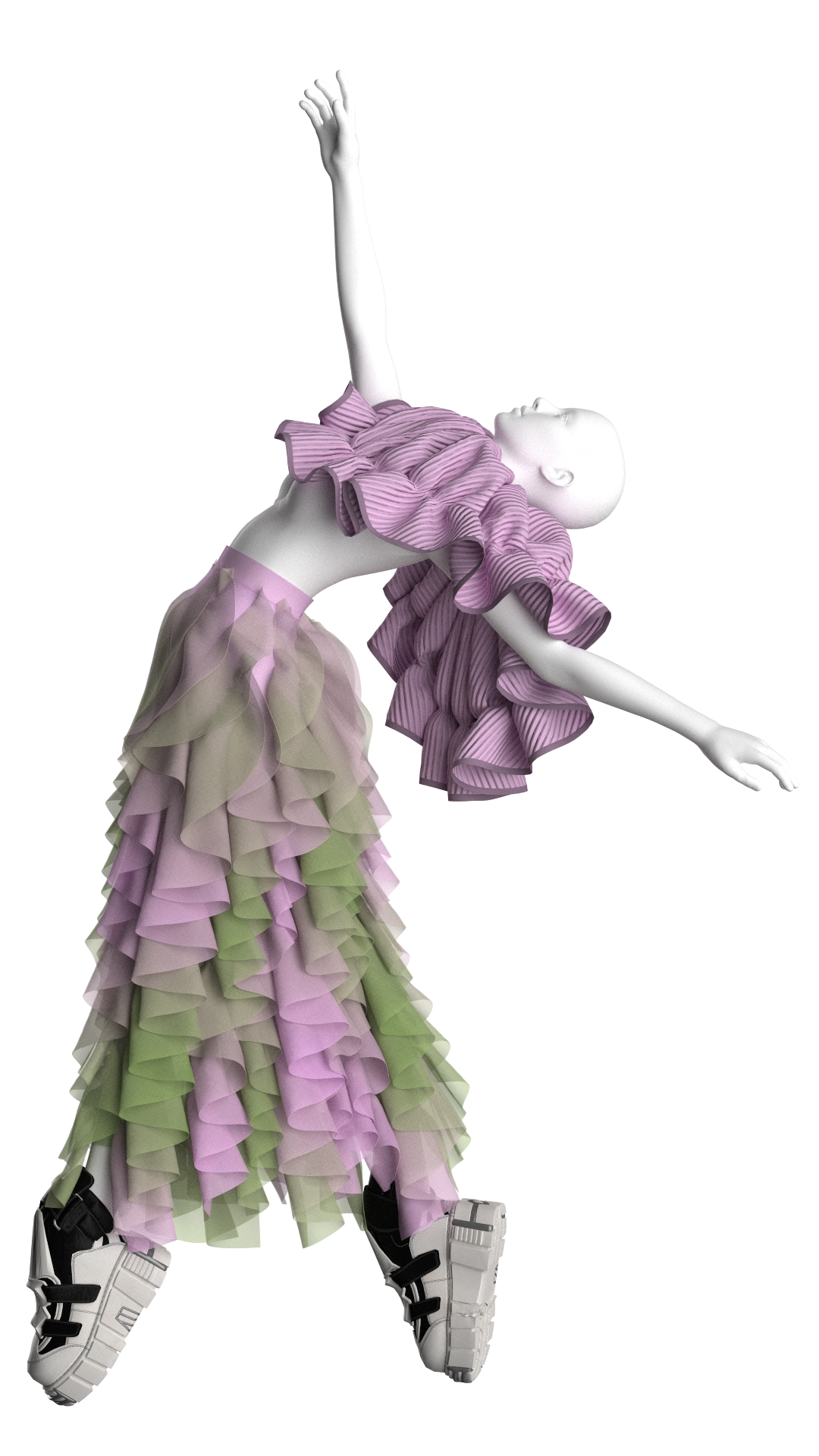
In terms of functionality, how does CLO enhance your ability to create the intricate ruffles in this series? Are there specific features that you find indispensable for achieving your vision?
CLO significantly enhanced my ability to create these ruffles by providing powerful tools that streamline the design process. The ellipse pattern tool was particularly important, and the ability to experiment with various parameters in real-time allowed me to achieve the desired shape and flow, making the design process both efficient and enjoyable.
How has your Ruffle series evolved since its inception? Are there any new ideas or directions you’re considering for future pieces?
Since then, I have started incorporating ruffles into several of my works. My new Nike-inspired collection, which is generally very oversized and relaxed, features small ruffles as well. This addition adds a unique touch and makes the collection feel even more special. For my next project, I plan to experiment more with shapes, perhaps incorporating pleats and exploring pattern manipulation in general. I’m excited to see how these new elements will interact with my existing designs, so stay tuned to see what’s coming next!
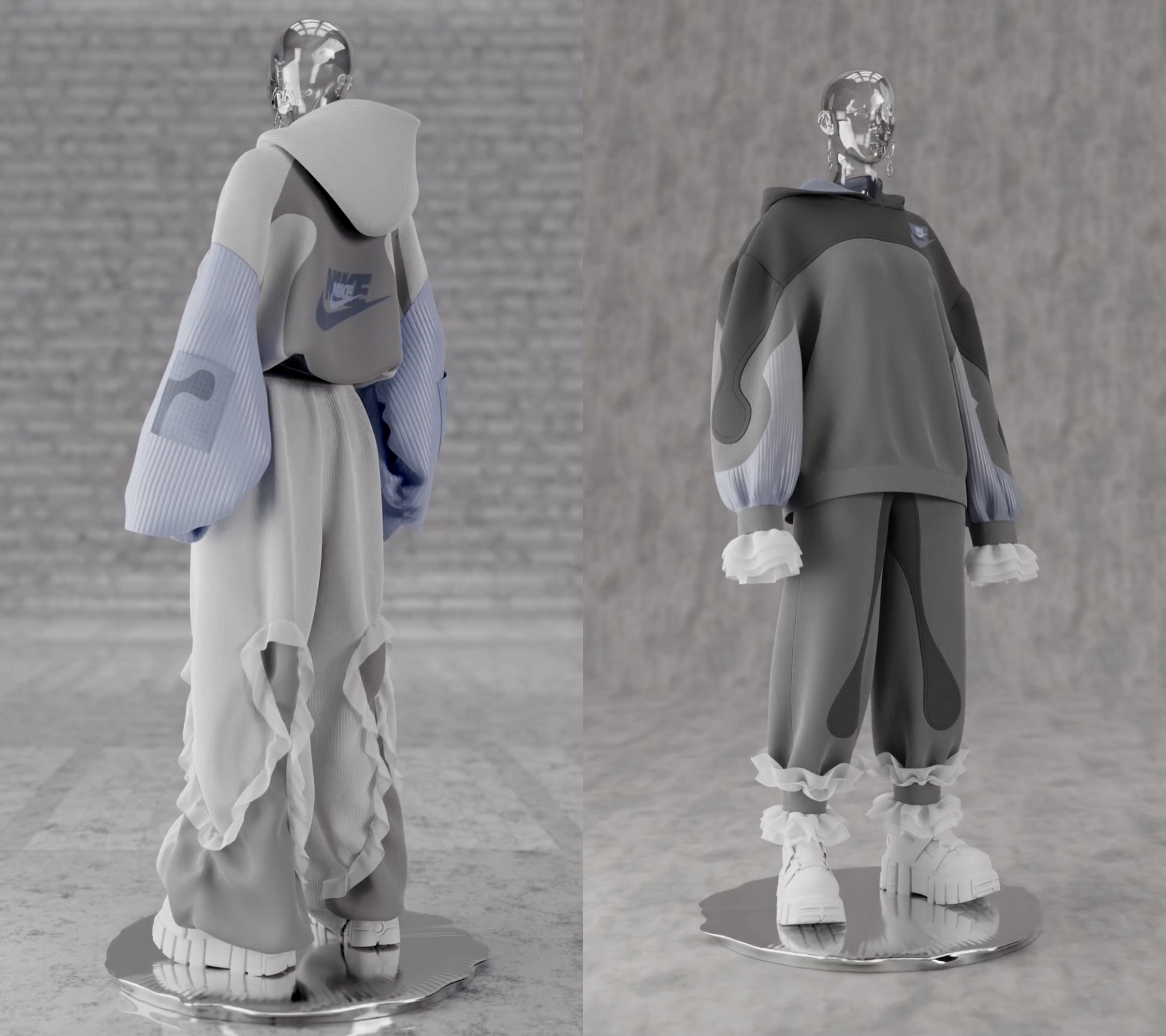
What other software did you use for this artwork? Please provide details on how each software contributed to the final piece.
In addition to CLO, I used Blender to create an environment and render the final animation. Blender allowed me to add depth and context to my designs, enhancing the overall presentation and making the ruffles stand out even more.
What tips would you share with aspiring digital fashion designers who wish to follow a path like yours?
My advice to beginners using CLO is to simply get started and not overthink it. The learning curve might feel a bit steep at first, but with consistent practice, you’ll be amazed at how quickly you pick it up. Don’t be afraid to make mistakes—that’s all part of the learning process. Remember, every project you work on will teach you something new. Most importantly, don’t give up! CLO is such a fun and rewarding tool, and as you progress, you’ll see how much it opens up your creativity. Enjoy the journey!